💡 Introduction
The way humans interact with technology is undergoing a profound transformation. Gone are the days when typing text or tapping buttons were the main ways we communicate with apps. Today, generative AI combined with multimodal interfaces is creating richer, more natural user experiences.
Modern applications can now understand text, voice, images, and gestures simultaneously, enabling interactions that feel more human, intuitive, and context-aware.
In this comprehensive guide, we’ll explore:
- What generative and multimodal interfaces are
- Real-world examples from leading tech companies
- Benefits, challenges, and best practices
- Predictions for the future of app interaction
This is the essential 2025 roadmap for app developers, UX designers, and tech enthusiasts.
⚙️ What Are Generative & Multimodal Interfaces?
Before diving into examples, it’s important to define the key terms:
Generative AI
Generative AI refers to artificial intelligence systems that create content — including text, images, audio, and even video — based on user inputs. Popular examples include:
- ChatGPT – text-based generative AI
- DALL·E / MidJourney – AI image generators
- Adobe Firefly – creative design content generator
Multimodal Interfaces
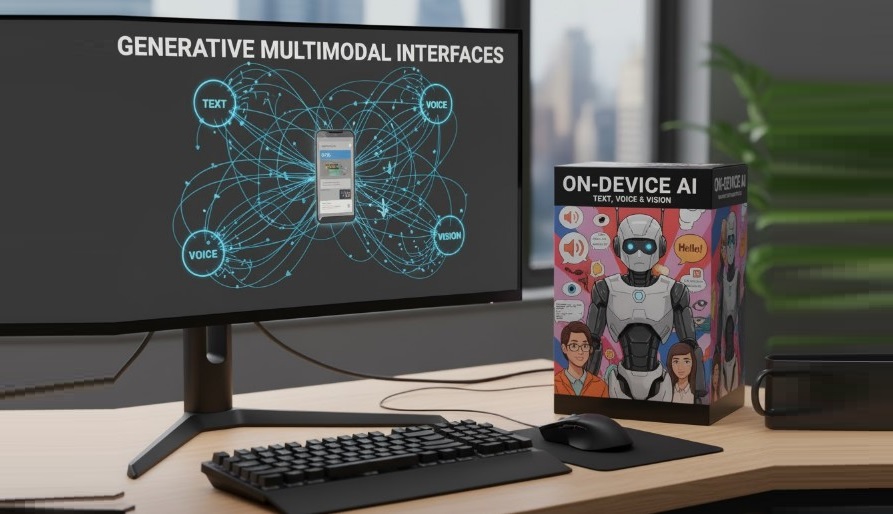
Multimodal interfaces allow users to interact with technology through multiple types of inputs simultaneously. These include:
- Text: Chatbots, prompts, and search queries
- Voice: Commands, dictation, conversational AI assistants
- Vision: Image recognition, augmented reality (AR), gesture tracking
- Gestures: Touchless controls in VR, AR, or mobile apps
When combined, generative AI + multimodal interfaces allow apps to process a voice command, analyze an image, and generate a creative response in real-time.
🌟 Why This Matters in 2025
The convergence of generative AI and multimodal interfaces is more than just a trend — it’s a paradigm shift in human-computer interaction. Key reasons include:
- Enhanced User Experience (UX): Users can interact in the way that feels most natural to them — talking, pointing, or drawing.
- Faster Task Completion: Tasks like content creation, editing, or device control are faster when multiple input modes are available.
- Accessibility & Inclusion: Voice, gestures, and visual input make apps usable for people with disabilities.
- Contextual Intelligence: Multimodal systems can understand context from multiple sources simultaneously, enabling smarter, adaptive interactions.
🧠 Real-World Examples of Generative & Multimodal Interfaces
1. ChatGPT + DALL·E Integration
Users can now generate images from text prompts and refine them using voice instructions or sketches. This allows designers and creators to produce content faster and more intuitively.
2. Snapchat & TikTok AR Filters
Gesture-based and voice-driven effects allow users to interact in real-time AR environments, creating dynamic and personalized experiences.
3. Adobe Firefly & Microsoft Copilot
These tools integrate text, voice, and image inputs to help professionals generate documents, presentations, and creative visuals quickly.
4. Meta Horizon & VR Platforms
Gesture tracking, gaze control, and voice commands allow users to navigate fully immersive environments, marking the future of VR interactions.
5. Mobile AI Assistants
Apple’s Siri, Google Assistant, and Samsung Bixby increasingly support multimodal commands, allowing you to take a photo, speak a command, and receive context-aware actions, all seamlessly.
⚡ Key Benefits
1. Richer Interactions
Combining multiple input types allows apps to deliver human-like understanding, creating more immersive and natural experiences.
2. Real-Time Processing
Generative AI can produce instant outputs based on voice, text, and visual cues, reducing latency and improving productivity.
3. Privacy-Focused UX
With on-device AI models, user inputs such as voice, gestures, or images can be processed locally, reducing the need to transmit sensitive data to the cloud.
4. Accessibility
Gesture, voice, and visual interfaces make technology inclusive, enabling broader adoption among users with disabilities or different preferences.
🔍 Challenges & Considerations
Despite its transformative potential, multimodal AI faces hurdles:
- High Computational Requirements: Running generative AI models and multimodal inputs simultaneously demands powerful hardware.
- Energy Consumption: Mobile devices can quickly drain battery when running intensive AI tasks.
- Privacy Concerns: Handling sensitive voice, image, or gesture data requires robust security measures.
- Consistency Across Inputs: Ensuring accurate responses across text, voice, and visual inputs is technically challenging.
Solution: Many apps adopt hybrid architectures, combining on-device AI for speed and privacy with cloud processing for heavy computation and updates.
🛠️ Best Practices for Developers & Designers
- Design for Multimodality: Plan interactions for multiple inputs, not just text.
- Optimize On-Device AI: Use lightweight models when possible to improve speed and reduce energy use.
- Focus on Privacy: Always provide transparency about what data is processed locally vs. sent to servers.
- Continuous Testing: Test multimodal workflows to ensure smooth transitions between input types.
- Provide Fallback Options: If a gesture or voice input fails, allow text or touch as backup.
🌍 Future Outlook
By 2026, most consumer-facing apps will incorporate at least one form of multimodal AI. Trends to watch:
- Seamless switching between voice, gesture, and visual inputs
- Real-time context-aware generative responses
- On-device AI for privacy-sensitive applications
- AI-driven UX personalization, adapting to each user’s preferred interaction mode
“The future of interaction isn’t typing or tapping — it’s talking, gesturing, pointing, and creating — all enhanced by AI.”